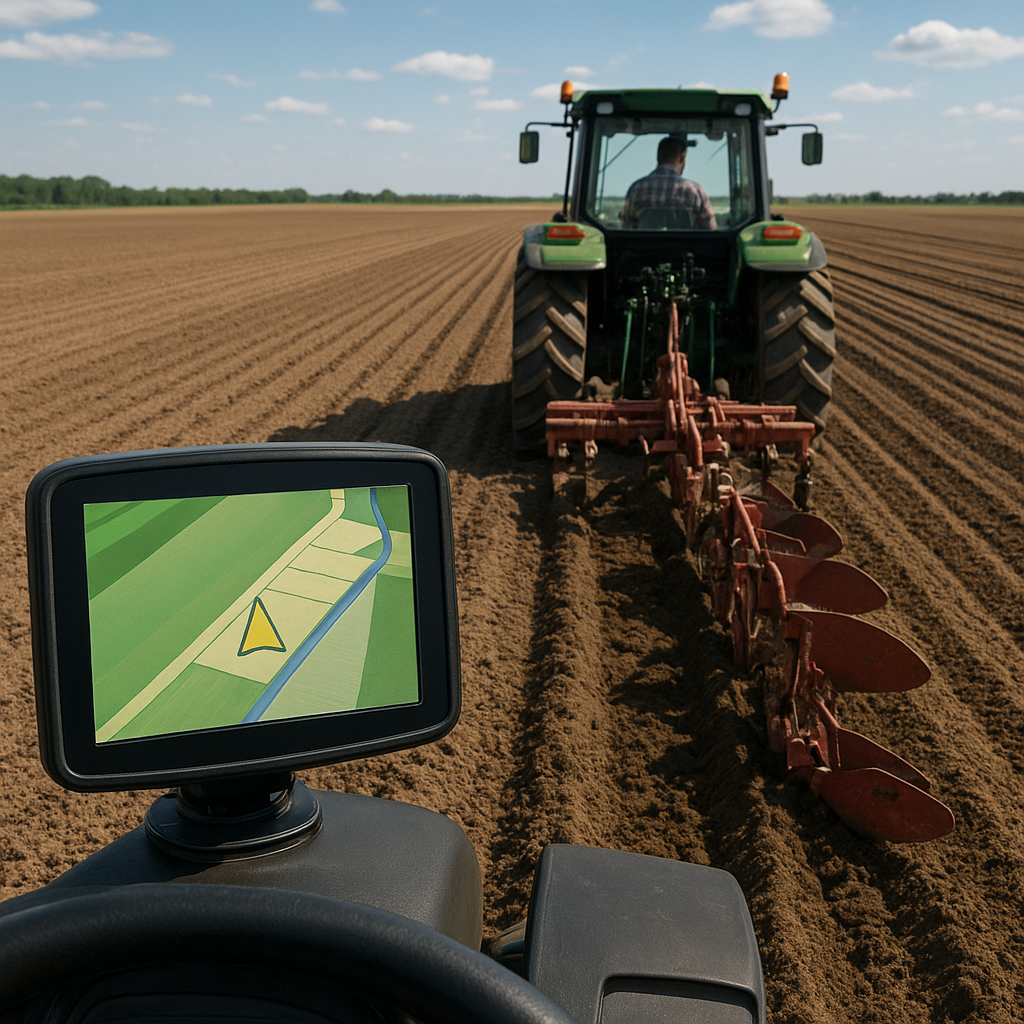
Implementing GPS mapping into your plowing routine can revolutionize how you approach field preparation. By leveraging cutting-edge satellite technology, operators achieve unparalleled accuracy and improved efficiency, ensuring each pass covers the correct swath without wasted effort. Whether you’re using a simple guidance display or a fully integrated auto-steer system, understanding the fundamentals of GPS-based mapping is key to consistent results and optimized field management.
Getting Started with GPS Mapping
Before you fire up the tractor, establish the groundwork to maximize the benefits of GPS guidance:
- Equipment Selection – Choose a GNSS receiver or GPS unit rated for precision agriculture. Models with RTK capability offer centimeter-level repeatability.
- Baseline Surveying – Conduct a field boundary survey to define the edges of the area you intend to plow. Accurate coverage boundaries prevent overlaps and missed strips.
- Signal Quality Assessment – Check satellite visibility and any potential obstructions. Trees, buildings, and uneven terrain can degrade signal strength, so monitor your unit’s signal bars.
- Software Setup – Install mapping software or a mobile app that supports field records. Familiarize yourself with importing shapefiles or drawing custom boundaries.
Calibration and Equipment Setup
Proper setup is critical for reliable guidance and straight-line plowing. Follow these steps to ensure every pass aligns with your target path:
Pre-Operation Checklist
- Verify antenna mounting: secure and level atop the cab or ROPS.
- Confirm correct tractor and plow dimensions in the guidance system’s settings.
- Input implement offset values: toolbar width, hitch position, and plow blade spacing.
- Run a static test to validate calibration values, allowing the unit to establish a base position.
Steering System Configuration
- Manual Guidance Mode – Provides visual cues for driver input, ideal for operators who prefer full control.
- Auto-Steering Engagement – Connect hydraulic or electric steering actuators for hands-free alignment on preloaded lines.
- Speed and Turn Parameters – Adjust gain and response settings to match tractor speed range and soil conditions. A balanced setup prevents overshoot in turns.
Field Operations: Establishing Straight Plow Lines
Once equipment is ready, move to the field with confidence. Focus on consistency and careful execution:
Line Selection and First Pass
Use GPS to define your initial headland or edge line. This baseline dictates the orientation of all subsequent passes:
- Select a reference point or establish a “zero line” along a known edge or boundary.
- Activate the guidance line and drive the first pass slowly, ensuring the tractor follows the marker without deviation.
- Guidance accuracy in the first pass is vital: any error will propagate across the entire field pattern.
Maintaining Parallel Consistency
With the baseline set, each new pass should replicate the offset precisely:
- Program row spacing based on plow width to maintain even overlap and complete coverage.
- Monitor GPS drift: if the unit shows multiple feet of wander, consider pausing to collect a new base correction.
- Use auto-steer where available. The system will correct small trajectory errors and hold a dead-straight line much better than manual steering.
Turning and Headland Management
Optimizing end-of-row maneuvers keeps productivity high and prevents damage to unplowed areas:
- Slow down before turns; allow the steering system to realign before crossing the headland.
- Plan your pattern: U-turns, round turns, or stepped headlands each have advantages depending on field shape.
- Mark transition points in the GPS display to reduce hesitation and maintain smooth operations.
Advanced Strategies and Troubleshooting
As you gain experience, refine your approach for challenging terrain and unpredictable conditions:
Terrain Adaptation
- In hilly fields, switch to 3D guidance modes that compensate for elevation changes, keeping depth consistent.
- Monitor tilt and roll: excessive boom drop can affect implement depth and line tracking.
Signal Interference Solutions
- Install external corrections: base stations or cellular RTK networks mitigate signal blockages.
- Consider multi-constellation receivers to maintain consistency when one satellite system is obscured.
Common Troubleshooting Scenarios
- Drifting Lines: Check base-station integrity or switch to NTRIP RTK if possible.
- Sudden Guidance Loss: Inspect antenna cables and connectors for damage.
- Erratic Steering Commands: Re-run calibration routines and verify implement offsets.
Optimizing Performance
- Review field logs regularly to spot patterns in GPS errors or equipment lag.
- Update firmware and mapping software to benefit from new features and improved precision algorithms.
- Train operators on system nuances to minimize user-induced mistakes and maximize overall efficiency.
Safety and Best Practices
- Keep clear of obstacles and verify that guidance lines do not direct the tractor over ditches or hidden hazards.
- Always maintain visual awareness; an engaged auto-steer is not a substitute for vigilant operation.
- Document any field anomalies or obstructions in your mapping software for future reference.